
Bookedin for Business
BookedinBusiness
4.0122.00 Reviews
- Version
- 1.95.6
- Installs
- 10.00K
- Age Rating
- Everyone
Screenshots
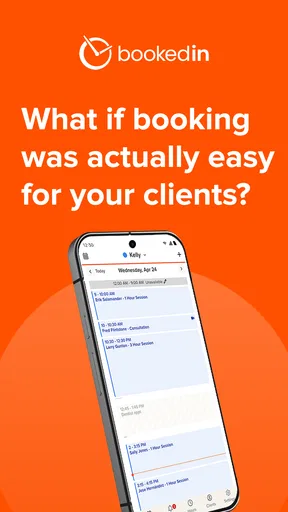
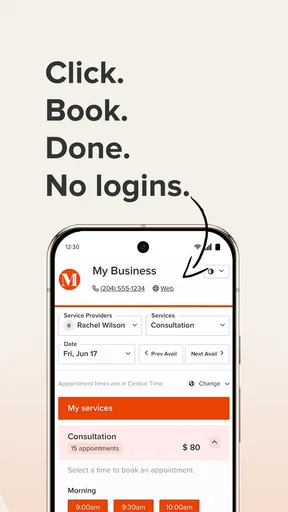


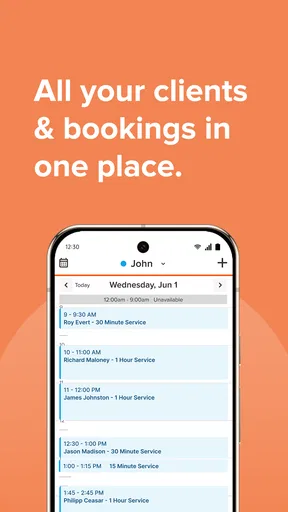
Our Review of Bookedin for Business
 Analysis by Appyee
When a small business handles appointments through messages, phone calls, and scattered notes, the real problem is rarely finding an empty time slot. The difficult part is keeping the whole chain together: the customer needs a clear way to ask for a booking, the owner needs to know what is coming, and everyone needs the same information afterward. I tested Bookedin for Business with that workflow in mind, and I found an appointment-focused tool that makes the booking path more organized without trying to become a complete business-management platform.
Bookedin is a free business app from Bookedin, aimed at small businesses that arrange classes or appointments. It is available for Everyone and supports Android 7.0 or later. The app has been around since Apr 25, 2016, and its current version is 1.95.6. On the store, it has an average rating of 4.0 from around 240 ratings, with more than 10K installs. That gives me the impression of a practical, established scheduling option rather than a brand-new experiment.
From a booking request to a completed appointment
I use this section to follow one reservation through the handoffs that make it dependable: the customer’s request, the owner’s review, and the appointment’s place in the working day. Thinking through those steps also helps me spot where a business needs a human check rather than simply trusting an open time slot.
Starting with the business problem
The best way to understand Bookedin is to begin before anyone opens the app. Imagine a massage therapist, tutor, fitness instructor, beauty professional, or small class organizer who is receiving requests in several places. One person sends a message asking for Tuesday, another calls about a recurring lesson, and a third wants to know whether a particular class still has room. Without a central booking process, the owner spends time translating conversations into a calendar.
That is the situation where I would consider this app first. It is not mainly about creating invoices, managing stock, or replacing every administrative tool in a company. Its useful center is the appointment and class booking process. If scheduling is the part of the business causing the most daily friction, Bookedin has a clear purpose. If the business needs a broad customer relationship system, accounting suite, or detailed operations dashboard, I would look elsewhere or use it alongside another service.
The free price makes it easy to try without committing money at the beginning. However, in-app purchases range from $24.00 to $159.00 per item, so I would not treat the free download as proof that every useful business function remains free. Before moving a busy operation onto it, I would check which paid options match the way the business works. That is especially important for an owner who needs more than a simple booking presence.
Setting up the booking path
The first practical task is to think like a customer rather than like an administrator. What service does the person want? How long should it take? Which times are genuinely available? What information must be collected before the appointment? Bookedin becomes more useful when those decisions are made clearly before the schedule is opened to customers.
I recommend starting with a small set of real services instead of entering every possible variation at once. A massage studio might begin with its main session types, while a tutor could start with individual lessons and one group class. This reduces the chance of presenting customers with a confusing menu. It also makes the first handoff cleaner: the person booking can choose something understandable, and the owner can recognize the appointment immediately.
A useful, less obvious habit is to build the schedule around the time the business actually needs, not only the time spent face to face with a customer. If a service requires preparation, cleanup, travel, or a short reset, that space should be considered before opening slots. Otherwise, the calendar may look efficient while creating an impossible sequence in real life. Bookedin can organize the booking flow, but it cannot decide the true operating capacity of the business for you.
This is also where I would separate appointment-based work from class-based work. A one-to-one service and a class with several attendees create different pressures. For individual appointments, the key concern is avoiding overlaps. For classes, the important question is whether the available places are represented accurately. Treating both as identical can cause problems later, especially when a popular session fills while the owner is still answering messages manually.
The customer’s step-by-step experience
Once the schedule and services are prepared, the customer’s journey should be short. They need to identify the service, find a suitable time, and complete the booking without waiting for the owner to reply. That is the main advantage over using a social-media message or a notebook as the primary system. The customer is guided toward the information the business has chosen to make bookable.
In everyday use, I would share the booking route wherever customers already contact the business, then watch the first few bookings closely. The goal is not to interfere with every reservation, but to spot unclear service names, awkward availability, or a time pattern that does not fit real demand. Early observation matters because a schedule can be technically correct and still be inconvenient for customers.
For a small yoga instructor, a realistic example would be an evening class that normally attracts several regulars. Instead of asking people to send separate messages, the instructor can direct them through the class booking process. The customer selects the session, the business receives a more structured reservation, and the instructor can focus on teaching rather than checking a conversation thread every few minutes. The value is not flashy; it is the removal of repeated coordination.
One trade-off is that self-service booking also gives customers more control over when they request time. That is helpful when the availability is stable, but less helpful for a business whose schedule changes constantly. A mobile professional who moves between locations, or an owner who accepts bookings only after checking another person’s calendar, may find a fully open schedule difficult to maintain. In that case, direct communication or a more advanced team scheduling system may be the better fit.
What happens after someone books
The booking itself is only the first handoff. The owner needs to turn that reservation into a dependable appointment on the working calendar. I would make a daily review part of the routine, especially during the first weeks. Checking the upcoming schedule helps catch unusual requests, gaps, or capacity issues before they become customer-facing problems.
This is where Bookedin feels more useful than a basic calendar entry. A normal calendar can show that something is happening at a certain time, but it usually begins with the owner manually interpreting a message and creating the event. A booking system gives the appointment a more deliberate starting point. That reduces the small acts of copying and retyping that often create mistakes.
Still, I would not assume that a booking app eliminates all communication. A customer may need directions, preparation advice, accessibility information, or a change to the request. The business may also need to coordinate with an assistant or instructor. Bookedin can be the scheduling center, but the owner should decide which details belong in the booking process and which require a separate conversation.
A useful workflow is to review the next day’s appointments at a fixed time, then handle exceptions separately. That prevents the owner from repeatedly reopening the schedule throughout the day. It also creates a clear handoff if another person helps run the business: the assistant can work from the same appointment picture instead of relying on the owner’s memory.
Handoffs between owner, staff, and customer
Small businesses often underestimate handoffs because the team is small. In reality, a single booking may pass from customer to owner, from owner to instructor, and from instructor back to customer if something changes. A shared scheduling process is valuable when it reduces the number of times each person has to restate the same appointment.
For a solo operator, the handoff is mostly between the public booking process and the personal working day. For a business with more than one person, I would pay close attention to ownership. Who checks new appointments? Who notices changes? Who is responsible for making sure a class or appointment is actually ready? The app can organize the reservation, but unclear responsibility will still produce missed details.
My practical advice is to use a simple internal routine: check new bookings, verify unusual cases, and mark the appointment as part of the day’s work. If the business has assistants, that routine should be written down rather than kept as an informal habit. This is one of the concrete strengths of a focused scheduling tool: it gives the team a common place to begin, even though it does not replace good operating procedures.
Another important handoff is between the booking interface and the customer’s expectations. A time slot that appears available is a promise of sorts. If the owner keeps opening slots that are only theoretically possible, cancellations and rescheduling conversations will follow. I would rather publish fewer dependable times than a wide schedule that regularly needs correction.
The result after the workflow settles
When the process is configured carefully, the result is less administrative back-and-forth. Customers have a clearer route to request an appointment or class, and the owner can look at a more coherent schedule instead of reconstructing the day from separate messages. For a small service business, that can make the difference between spending the morning coordinating and spending it serving customers.
The strongest result is consistency. A customer who books at an unusual hour does not necessarily need to wait for the owner to wake up or finish another appointment. The business also gains a repeatable way to handle demand. That is more valuable than a single convenient booking because it changes the daily rhythm of the operation.
Compared with a paper diary, Bookedin is better suited to a business where customers need a more direct booking path. Compared with a general calendar, it is more closely aligned with appointment intake rather than simple event storage. Compared with a large all-in-one business platform, its appeal is focus and a potentially gentler starting point. The compromise is that a specialized booking tool may not cover every financial, marketing, staff, or customer-management need.
I would also keep expectations realistic about the rating. An average of 4.0 suggests that many users find value in it, while the presence of more than 120 written reviews indicates that people have had enough experience to comment in detail. Neither figure guarantees that the workflow will suit every business. Scheduling depends heavily on service length, staff availability, customer behavior, and how often the owner changes the calendar.
Where the workflow breaks down
The first breaking point is a schedule that changes faster than the booking setup can be maintained. If the owner frequently works at different locations, shares time with another system, or accepts appointments only after personal approval, open self-service slots may create extra work. In those cases, a request-based process, a shared team calendar, or direct booking conversations may be safer.
The second is complexity. A small business with several staff members, multiple locations, complicated resources, or detailed reporting needs may outgrow a focused appointment app. Bookedin can be sensible when the booking problem is central and understandable. It is less convincing when scheduling is only one small part of a much larger operational puzzle.
The third is the cost boundary. The app itself is free to download, but the available in-app purchase range means the owner should examine the paid path before building a process around it. I would begin with the basic workflow, identify the exact point where the business needs more, and then decide whether the upgrade is justified. Paying for a feature that saves repeated administrative time can be reasonable; paying without knowing which bottleneck it solves is not.
There is also a human limitation: no app can correct unclear service definitions. If customers do not know how two appointment types differ, or if the business has not decided how much time each service needs, the booking experience will remain confusing. I found that the most important preparation is not technical. It is writing the service choices in ordinary language and opening only the times the business can reliably honor.
Who should use it and who should skip it
I would recommend Bookedin to a solo professional, small studio, tutor, therapist, instructor, or appointment-led service that wants to move away from scattered booking messages. It is particularly appealing when the owner needs a dedicated path for both appointments and classes but does not want to begin with a large business suite.
I would be more cautious for a growing organization that needs deep team coordination, complex resource allocation, extensive reporting, or a tightly integrated finance workflow. Such a business may be better served by a broader platform, even if its booking screen feels less focused. I would also hesitate if the business rarely follows a predictable schedule, because the benefit of self-service booking depends on trustworthy availability.
For someone deciding whether to install it, my suggested test is straightforward. Map one real service from customer request to completed appointment. Include preparation time, a possible change, and the handoff to whoever performs the service. If Bookedin makes that path clearer without forcing the owner to maintain several parallel records, it is probably worth continuing with. If the test exposes more manual coordination than before, a different category of tool may be a better investment.
My final take on the everyday experience
After looking at the complete workflow, I see Bookedin for Business as a focused scheduling companion rather than a universal business solution. Its best contribution is giving a small operation a clearer route from “I want to book” to “the appointment is part of the working day.” That is a meaningful improvement over informal messages and handwritten notes, especially when customer requests arrive outside normal hours.
I like that the app has a clear audience and a practical starting point. The free entry point lowers the barrier to testing it, while the age rating of Everyone makes it broadly approachable as a business utility. At the same time, the paid options and the limits of a focused scheduler mean I would evaluate it against the business’s actual handoffs, not just its download price.
My honest recommendation is to use Bookedin when appointment organization is the main problem, not when you need an entire business operating system. Set up a small, accurate service menu, publish only dependable availability, review the next day’s schedule, and watch where manual work remains. Used that way, it can bring welcome order to a small booking workflow. If the business has complicated staffing or constantly shifting availability, I would compare it with a more advanced scheduling platform before making it the central system.
Verdict
Strengths of Bookedin for Business
- Simple online booking setup for service-based businesses.
- Automated appointment reminders can help reduce no-shows.
- Supports staff calendars and multiple service providers.
- Customers can book appointments around the clock.
- Useful client records help organize repeat appointments.
Limitations of Bookedin for Business
- Some advanced features may require a paid subscription.
- Customization options can feel limited for larger businesses.
- The interface may take time to learn for new staff.
- Dependent on a stable internet connection for real-time updates.
- Not ideal for businesses needing highly specialized booking workflows.
Similar Picks in This Category
View All
LinkedIn: Community & Network
LinkedIn3.8

Zoom Workplace
zoom.com4.1

Microsoft Teams
Microsoft Corporation4.6

Meta Business Suite
Meta Platforms, Inc.4.6

Webex Meetings
Cisco Systems, Inc.4.5

TeamViewer Remote Control
TeamViewer4.4
Frequently Asked Questions
What is Bookedin for Business used for?
Bookedin for Business is an appointment scheduling and client management tool designed for service-based businesses. After setting up your services, availability, staff, and booking rules, customers can schedule appointments online without calling or exchanging messages. The platform can also help manage calendars, client details, reminders, payments, and day-to-day booking administration from one place.
Is Bookedin for Business suitable for small businesses and solo professionals?
Yes. Bookedin for Business is aimed at businesses such as salons, clinics, wellness providers, tutors, consultants, and other appointment-based professionals. A solo provider can use it to organize a personal calendar and accept online bookings, while larger teams may use staff schedules and shared management features. The best experience depends on the plan and tools available for your business size.
Can customers book appointments online through Bookedin for Business?
Customers can generally view available services and time slots through an online booking page, then select an appointment without needing direct assistance from the business. Depending on the account configuration, businesses may also collect customer information, send confirmations, and manage cancellation or rescheduling policies. Before downloading or subscribing, check which booking options are included in the current plan.
Does Bookedin for Business send appointment reminders and notifications?
Bookedin for Business is designed to reduce missed appointments by supporting booking confirmations and reminder notifications. The exact delivery methods, timing, and availability can depend on the account settings, subscription level, and communication options enabled by the business. It is worth reviewing notification preferences carefully, because reminders are most useful when the business and its customers keep contact details up to date.
Is Bookedin for Business free to download and use?
The application may be available to download without an upfront charge, but access to the complete Bookedin for Business service can require a subscription, trial, or business account. Pricing, included features, user limits, and payment-related tools may change over time. Review the official listing and current pricing page before committing, especially if you need multiple staff accounts or advanced scheduling features.
